Saturday, April 5, 2014

Change log of Android 4.4.3


Even though there is no official statement from Google on what the new iteration of Android will be, the rumors tell us about a possible Android 4.4.3. On this forthcoming iteration, there are no UI changes expected, instead the performance enhancements are the main change.

According to a newly-leaked change log Google has been working hard to improve its software. Having said that there is no way to know if these changes are true. If they are, they should solve a lot of pesky problems(connection dropout makes me crazy). 

Someone may be disappointed since there is no big  UI change, but I think that these fixes are worth doing. Google may be holding out on the UI changes for a future iteration of Android. The current one seems to be working just fine and a lot of work has been put into it. Because of that Google now is able to concentrate on improving the performance of its OS.

The people who own Nexus devices will be the first to get the update as usual, with the Nexus 5 and 7 in the front line. Others will have to wait, and older devices(2 years or more) most probably will never see the update.
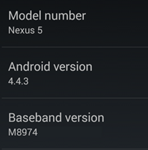


The complete change log is as follows:
    • frequent data connection dropout fix
    • mm-qcamera-daemon crash and optimization fixes
    • camera focus in regular and HDR modes fixes
    • Power Manager display wakelock fix
    • multiple Bluetooth fixes
    • fix for a random reboot
    • app shortcuts sometimes got removed from launcher after update
    • USB debugging security fix
    • app shortcuts security fix
    • Wi-Fi auto-connect fix
    • other camera fixes
    • MMS, Email/Exchange, Calendar, People/Dialer/Contacts, DSP, IPv6, VPN fixes
    • stuck in activation screen fix
    • missed call LED fix
    • subtitle fixes
    • data usage graph fix
    • Internet telephony fix
    • FCC compliance fix
    • miscellaneous fixes

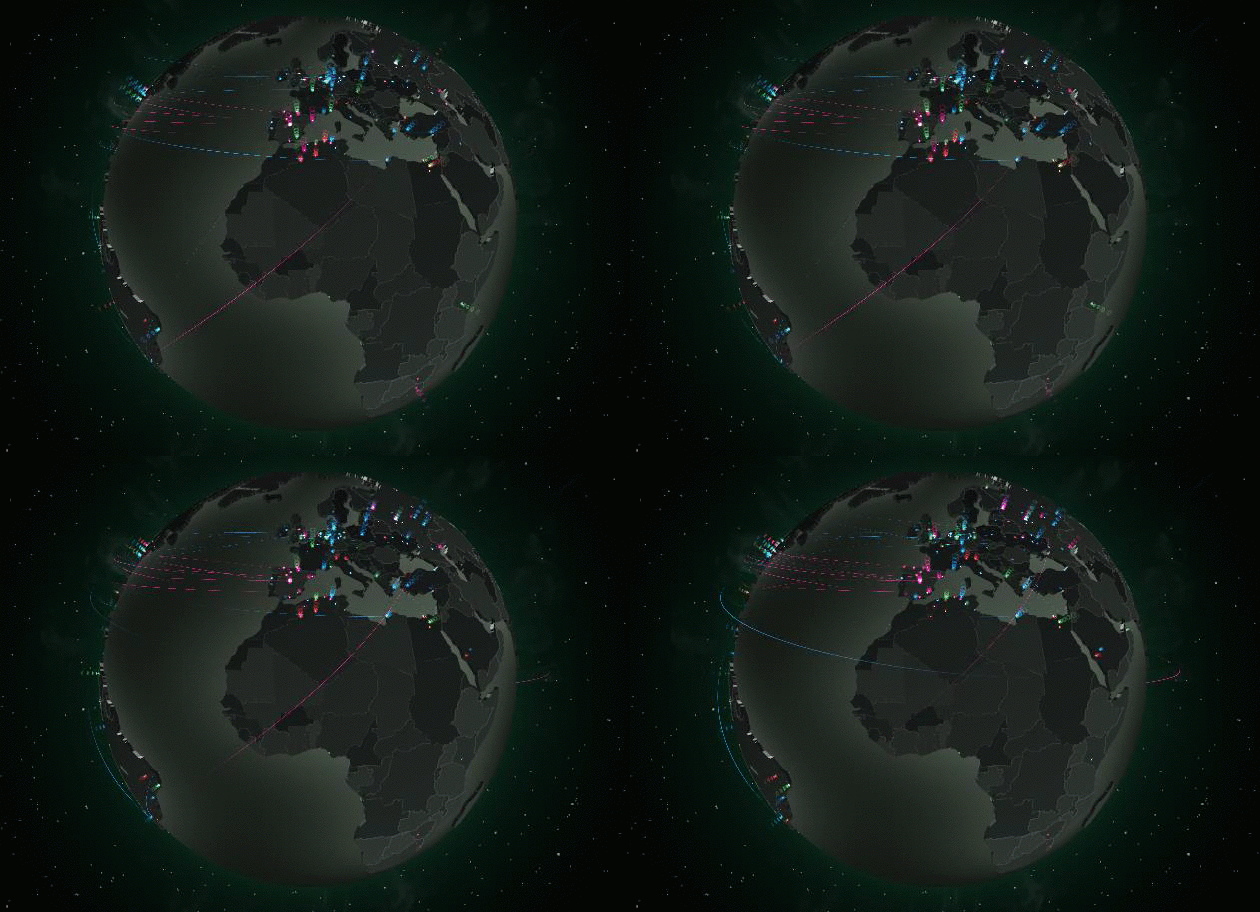
The threat of Malware, visuallised by Kaspersy


Now, whats an antivirus company if there aren't any viruses? Recently the general public interest has shifted from viruses and malware to other things (mobile, wearables,etc). This can't be good for big antivirus companies.

In an attempt to remind us of all the dangerous things that travel through the World Wide Web, Kaspersky has created a real-time-security-threat-map. It shows real time threats happening through the globe. According to Kaspersky the most threatened country is Russia. It makes sense since the data is taken from the companies security network. Being a Russian company the majority of customers are home.

In itself it is a pretty cool map, got to hand it to Kaspersky. The idea behind it though is more commercial, than with the purpose to create awareness. Here you can check it yourself.

Samsung Galaxy 5 gets its first update before its release


As reported for Android News, Samsung its releasing the first OTA update for its new device before even it is officially released. A couple of Korean cell phone carriers have ignored the official date set by Samsung though and are selling it 2 weeks before.

The update is around 150 MB. It is quite a size for a phone that hasn't been tested from the masses. No one knows what it is about, or the changelog.

So if you are getting a new Galaxy S5 in the coming weeks, you will find yourself with a new update just a little bit after you turn your phone on. Be sure to turn the updates on or manually check for them yourself.

All sub 9 inch devices will get Windows for free.


This photo was taken at the annual Build conference. It was there that Microsoft declared its new strategy to break in the mobile market. All devices with a screen smaller than 9" such as smartphones and smaller tablets, will get Windows and Windows Phone for free. It is not the customers that will get their hands on the free OS(maybe at a later time), but the OEMs.

What does this mean for us customers? Supposedly, cheaper devices. But you can never be sure of such things. Unless the OEMs are really open about their pricing methods, we can not know for certain.

Microsoft's previous mobile strategy back in 2010, with Windows Phone 7 was that of small licensing fees. At the time this was a surprise and was a very welcome change. Device-makers would pay Microsoft a few bucks in exchange of having the backing of its massive patent portfolio.

Now four years later, it's clear that that strategy had no effect. Microsoft is in 3rd place when it comes to mobile devices. And it's a long 3rd place. It isn't even considerable when you put it against Google or Apple.

 By setting the limit at sub 9" screens Microsoft wants to protect the revenue stream form laptops and desktops. Even though that market is shrinking, Microsoft's Windows is still the dominant OS. It would be a shame to stop that money from coming, wouldn't it? But in the mobile market, considering its poor performance, this last move can improve things.

Microsoft is having some problems with OEMs too. Samsung is barely interested as it focuses on the Galaxy Brand, synonymous with Android. HTC has difficulties selling its top Android devices lately. Nokia which is the biggest supporter of Windows Phone, is getting bought from Microsoft so this deal does not really affect it. Maybe this new price will interest other smartphone makers, in China perhaps?

Friday, April 4, 2014

What is Komodo Edit and how to install it in Ubuntu?

"Komodo Edit is the free and Open-Source counterpart of Komodo IDE.
Looking for a powerful editor without all the advanced functionality an IDE comes with? Komodo Edit is for you. "-ActiveState

The sentences quoted above are taken from the official Komodo Edit website. This app is a beefed up text editor. If you want to work on your HTMLs or Css' (and much more) this is a great text editor.
Komodo Edit is based on Komodo IDE, a commercial product from ActiveState. The later one is a complete development environment for web and cloud-based projects. It's "little brother" Komodo Edit is a little different. It is open-source and has an unbeatable price, its free. It is based on the same codebase as Firefox so it is available for all major OSs. It also has a Firefox-like system to find and install add-ons.

Komodo supports customizable color schemes. You can find the themes online and simply drag and drop them on the apps window. This will install the theme
Another feature is its build in FTP client. This allows you to work with files on your servers without needing to download them or to create new projects.
Komodo also offers autocompletion, code folding and simple text zooming using the mouse wheel.

Installation:
Komodo Edit is offered for:
How To Install in Debian/Ubuntu/Mint

Although the installation for Windows and OS X is pretty straightforward, the same can not be said for Linux users. They offer a binary file which can be a pain to install for a big number of people. I am going to write here 3 simple command through which you can install in a non-painful way(for most).

sudo add-apt-repository ppa:mystic-mirage/komodo-edit

sudo apt-get update
sudo apt-get install komodo-edit

Enjoy!

PS: My editor of choice is Sublime text. If you want to try that one out too, click here: 

Sublime Text: How to install in Ubuntu based distributions

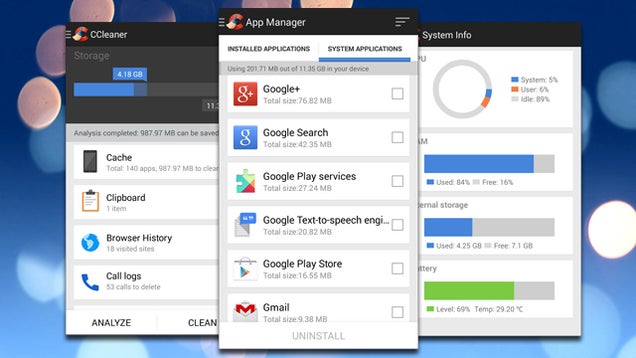
CCleaner comes to Android


CCleaner is one of the tools that I recommend to anyone who owns a laptop/desktop. It is great to clean up, optimize and maintain your device.
Now this awesome tool is coming to Android. Right now it is in the Beta stage, but still packs some good features.

The app allows you to:
  • clear app cache and data
  • bulk uninstall unwanted applications
  • erase your browser history or call logs
  • remove your clipboard data.
 Some of these features are available from Android itself. I guess it doesn't hurt to have some extra ones, and all together at the same place.

To get it you will need to join the Google+ Community and then download the app from Piriform.*

*There is a Play Store link but it doesn't work for me. You can try it. Link

'Powered By Android' may be coming

Reportedly Google is trying to unify the diverse Android universe. By unification I don't mean standardization of the UI, but recognition of the OS. Let me explain. For Android fans and tech enthusiasts knowing what Android is and where it runs is a no-brainier. The same can be said about iOS, Windows Phone or any mobile OS out there. The rest of the users though just know the branding of the device. Some may even say Galaxy OS.

Google is trying to get some acknowledgement for its work. Of course different UIs will still be there. TouchWiz or Sense for example aren't going anywhere. Why should they? There are a lot of launchers in the Play Store, these ones just come preinstalled. Even the Google Now launcher which Nexus 5 runs is available in the Store(Link).

What will happen is something like what Intel does in the laptop/desktop market. We are all familiar with the "Intel Inside" stickers in our laptops. There are there just to remind us of the huge work that Intel does. Even though we can't actually see the CPUs or GPUs that this company provides to these laptops, we know that they are there.

Google wants to achieve the same thing. Maybe not through stickers but through a notification in the boot screen.

This is not confirmed though. Also the methods on how this can be imposed to the OEMs is unclear. We haven't seen any of the new devices yet Samsung Galaxy S5, Sony Xperia Z2, etc. Also the reasons behind it are unclear.


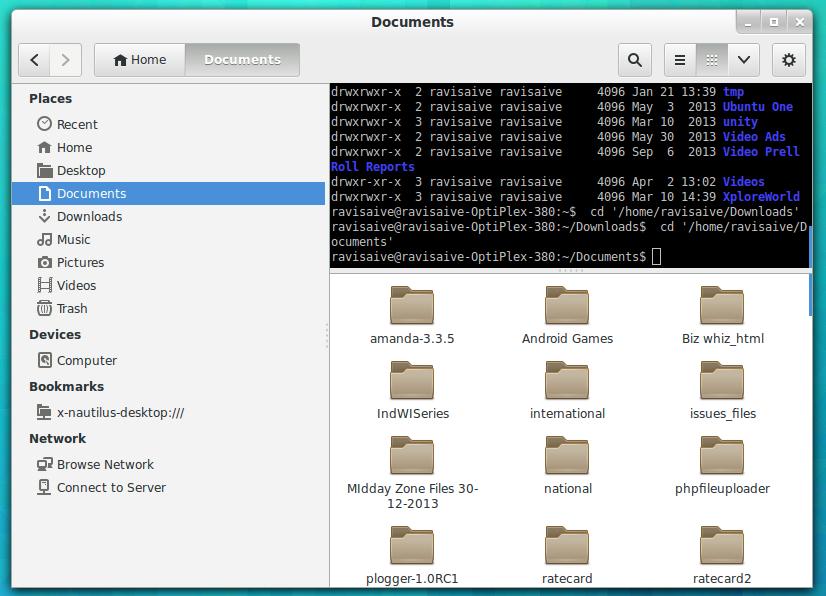
Nautilus Terminal, File Manager and Terminal combined

Nautilius is the file manager of choice of Ubuntu. It is one of the best file managers out there, and since Ubuntu is the number 1 Linux distribution out there, is used by the majority of Linux users.
Terminal on the other hand, is one of the most important apps in Linux. It allows the user to communicate to the shell and pass instructions. Most of the people who don't know Linux think that everything is still done in the terminal.
Even though that is not completely true, the Terminal is a vital part of the Linux experience. You just can't completely ignore it. Of course new user-friendly distributions are trying to change this. To this day, none has been completely successful. It is not the distros' fault. There are simply a lot of apps out there who aren't represented in the different software centers, or just don't put Linux in their top priorities.
So at some point you'll have to use the Terminal.

Nautilius Terminal combines these two essential apps together. It follows your movements in the GUI and shows them in the terminal(cd ./example). Some of its features are:
  1. Completely compatible with Nautilus File Browser.
  2. Designed to follow your movement and Instructions within directories.
  3. Feature of Hide/Show Terminal in file browser, as required makes it very much useful.
  4. Supports Copy and Paste in Terminal.
  5. Supports Drag and Drop of files/folders in Terminal.
  6. The Embedded Terminal is re-sizeable, as per need.
 Following are the instructions on how to install it:

Debian/Ubuntu/Mint
$ sudo add-apt-repository ppa:flozz/flozz
$ sudo apt-get update
$ sudo apt-get install nautilus-terminal

Another small company is bought by Apple, Why?


Novauris is a small company most of us have never heard about. Yet this not so known, small company was recently bought by one of the big dogs,  Apple.
Now the natural question is why? What makes it so appealing to Apple, which doesn't normally buy companies for no reason.
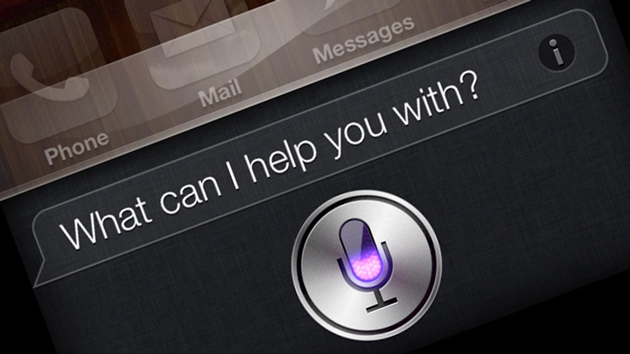
Novauris specializes in speech recognition and has ties to the technology and patents underpinning Siri. According to TechCrunch it's experts are already working with Apple to improve it's voice assistant. The are only speculations though. Nothing is certtain. One of Novauris features and strong points has been locally-processed recognition. This would make Siri independent from data connection. It wouldn't rely anymore on distant servers. This is something that to this day no voice has succeeded on.
Again these are just rumors. There are no official statements have been issued from either Apple or Novauris.

Swiftkey Keyboard gets Updated, more personalization options

The number one 3rd party keyboard on Google Play store just got an update. This wonderful keyboard with the best prediction capabilities out there(in my opinion), just got even better.

Thanks to the new update Swiftkey Keyboard now can collect typographical data from Google+ public posts and from Evernote. These are the new additions to the existing lists of apps the keyboard can get data from(E.g. Sms app, Facebook, etc). The new feature is being released to everyone just now, but it has been available to beta users for a while.
Even though this is a good thing to people who do not have problem sharing information, it isn't that good a news for others, more skeptical about what they share. Being myself one of these people, I am just happy that the new personalization features just like the old ones are not forced upon me. They are opt-in and anyone can activate them through the settings menu.
And just like all updates to all apps this one brings numerous bug fixes, mainly forced closes on some devices.